Cryocell
A Sven Co-op map you can host and play in your browser — no download, no Steam client.
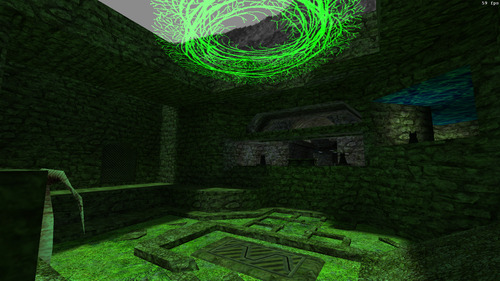
Host Cryocell in your browserBrowse all co-op maps
Cryocell is fetched the moment you press Host, then starts — one button, no separate download step. Friends join from a link; there is no port forwarding, no dedicated server to rent and nothing to install on either side.
Map facts
| Author | Keen |
|---|---|
| Released | 2025 |
| Difficulty | Easy |
| Size | Medium |
| Map file | cryocell_r |
| In your browser | Downloads on demand, then hosts |
| Cost | Free — no account, no Steam client |
Tagged: community-edit · puzzle · walkthrough
About this map
What to expect
It is a single medium-sized map, playable in one sitting. The author rated it easy, which makes it a reasonable choice if some of your group have not played Sven Co-op before.
How to play it
- Press Host above. The map downloads first, then starts.
- Share the room link with whoever you want to play with.
- They open it and join — no install, no account, no port forwarding.
This map is not stored here in advance — it is fetched when you press Host and then starts. That happens once; there is still nothing to install. Everyone who joins needs a browser and the link, and nothing else — they do not need to own Half-Life, install the Sven Co-op client or make an account. Because the connection is brokered for you, neither side forwards a port or rents a server.
New to Sven Co-op? Start here → · Playing with friends → · All co-op maps →
More co-op maps
Browse the full index of co-op maps →
Map data from SCMapDB under CC BY-SA 3.0. Sven Co-op is by the Sven Co-op team; not affiliated.
CS 1.6 servers · Maps · Game modes · Weapons · Co-op maps · Guides · Tools · How to play · Ranked 5v5 · Leaderboard · Player count · Download