Play Counter-Strike 1.6 Online — Free in Your Browser
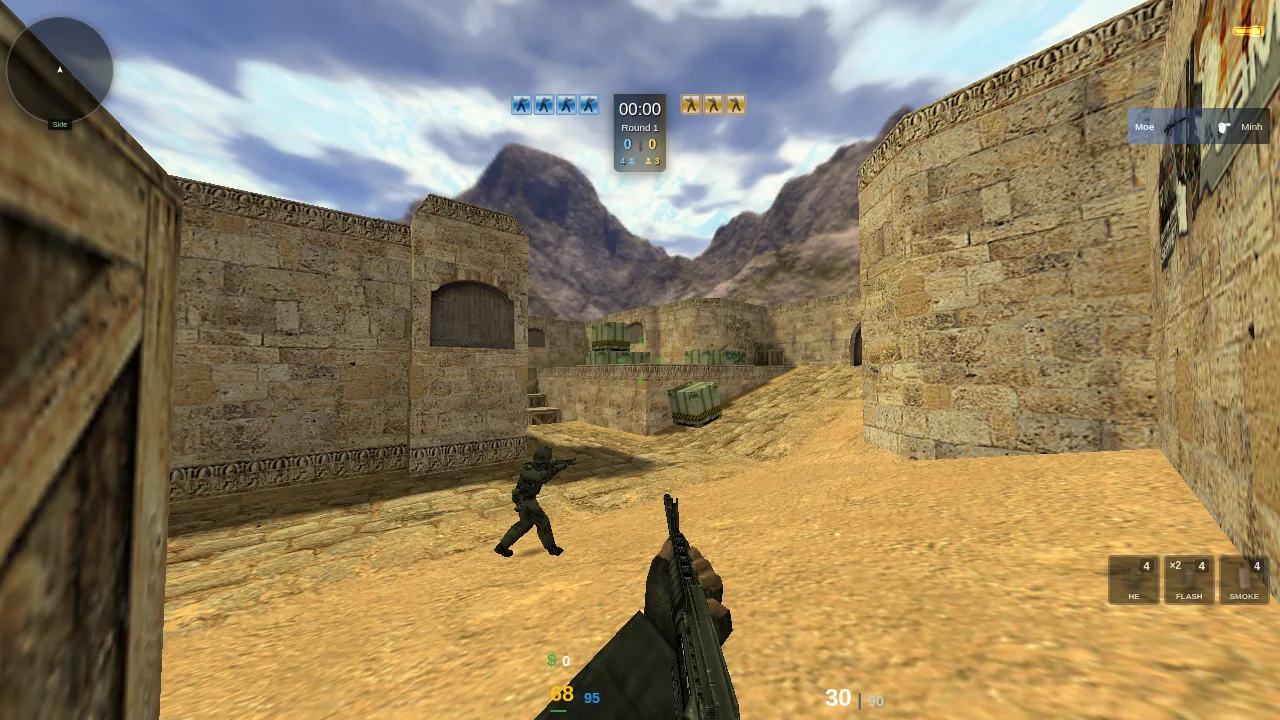
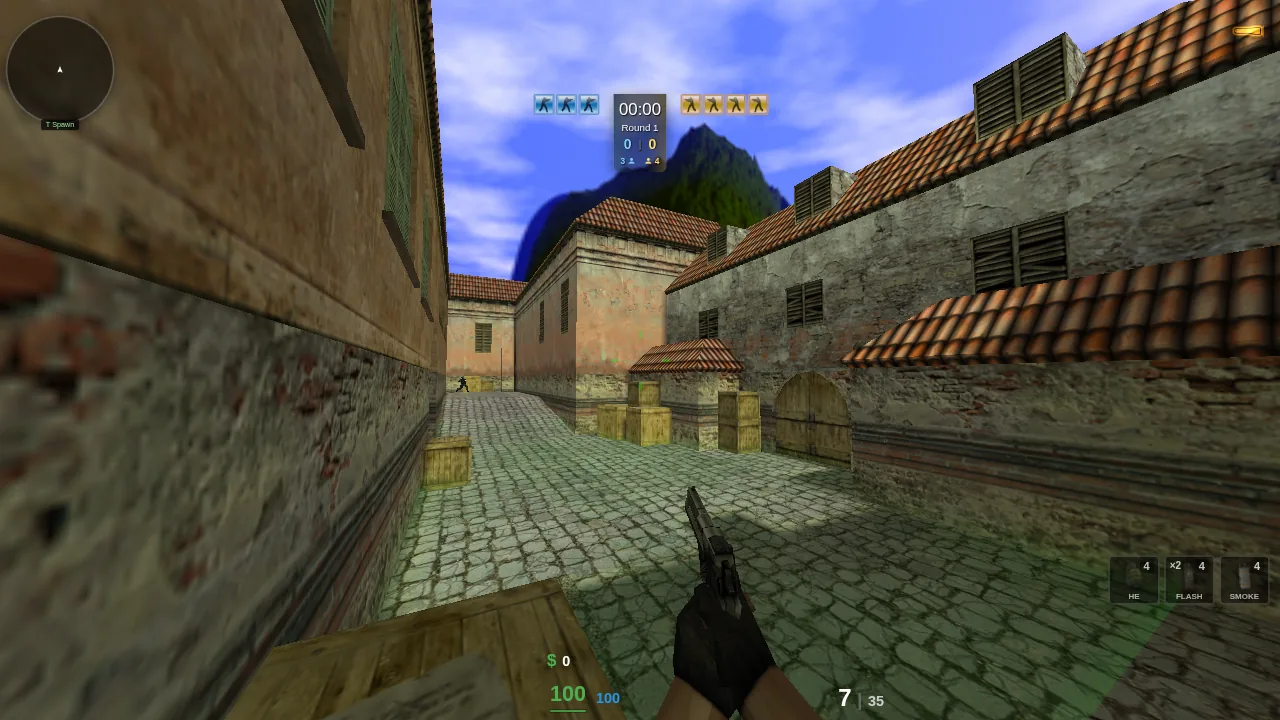
Combat Skirmish runs the classic Counter-Strike 1.6 multiplayer FPS directly in your web browser via WebAssembly — no download, no install, no account. Click Quick Join to drop into a live server in seconds, or see the CS 1.6 servers online right now and pick a map and region.
Counter-Strike 1.6 right now — players online: 5,100 · public servers: 1,591 · counted at 16:11 UTC
Prefer a normal app window? Download the free client for Windows, Linux and Android — the same game with true fullscreen, no ads and automatic updates.
Why play CS 1.6 on Combat Skirmish
- Instant play — open the site and join a match in seconds, nothing to install.
- Real multiplayer — live servers with real players and bots, on CS 1.6's own network protocol.
- Classic maps — de_dust2, de_inferno, cs_italy, fy_iceworld and many more.
- Free forever — price $0.00 USD, no payments, no signup.
How to play CS 1.6 in the browser
- Open combatskirmish.net in a modern browser on a computer, phone or tablet.
- Click Quick Join, or open the Server Browser and pick a server.
- Move with WASD, shoot with left-click, buy weapons with B.
Browse CS 1.6 maps and game modes
Jump straight into a specific map or mode — every one runs free in your browser:
- Bomb Defusal — plant or defuse the C4 on de_ maps like de_dust2 and de_nuke.
- Hostage Rescue — escort the hostages home on cs_office and cs_italy.
- Deathmatch and Aim Arena — instant-respawn fragging on fy_iceworld and awp_map.
- Gun Game, Zombie Mod, Surf and Bunny Hop — the most popular custom modes.
- See all Counter-Strike 1.6 maps and game modes.
New to the game? Read our beginner's guide to Counter-Strike 1.6 — controls, the buy menu, weapons, modes and tips.
Ranked 5v5: CS 1.6 matchmaking in the browser
Compete is ranked Counter-Strike 1.6 matchmaking with nothing to install. Queue on your own or as a party of up to five, accept the ready check, and play a full MR15 match — knife round for sides, halftime swap, overtime on 15-15 — against players near your rating. The match server is one player's browser, so there is no dedicated server to rent and no launcher to run; if that player drops, the game moves to another and resumes at the same score.
- Open Compete — queue, party lobby, leaderboard and your match history.
- Does CS 1.6 have matchmaking? — what exists in 2026 and how a ranked match forms here.
- Is there FaceIT for CS 1.6? — every platform that still runs 1.6, compared.
- PUGs, mixes and ranked 5v5 explained — MR15, the knife round and overtime.
Also playable: Sven Co-op
Sven Co-op is the co-operative Half-Life mod — a group works through a map together against the game's monsters instead of each other. It runs here the same way CS 1.6 does: browse the co-op maps, press Host, and send friends a link. No download, no Steam client and no port forwarding.
- Every Sven Co-op map — the full index, with author, difficulty and community rating.
- How to play Sven Co-op online — what the mod is and how to start a map in a browser.
- Playing Sven Co-op with friends — why there is no router setup or rented server.
Frequently asked questions
Is Combat Skirmish free?
Yes — completely free. No download, no signup, no payments.
Do I need to install anything?
No. CS 1.6 runs in your browser via WebAssembly — just open the site and click Quick Join.
Can I play with friends?
Yes. Form a party of up to five in Compete and queue for a ranked 5v5 together, or open the Server Browser, pick the same server, and join together.
Is there ranked matchmaking for CS 1.6 here?
Yes. Compete is ranked 5v5 Counter-Strike 1.6 in the browser: queue solo or as a party, accept the ready check and play a full MR15 match with a knife round, halftime swap and overtime. Nothing to download and no dedicated server — one player's browser hosts the match.
What do I need to play?
A modern browser on a computer, phone or tablet; touch screens get on-screen controls. The first load caches the engine; after that maps stream on demand.
Is this the real Counter-Strike 1.6?
It is Counter-Strike 1.6 on Cbsmng FWGS, an open-source engine compatible with GoldSrc, compiled to WebAssembly. The aiming, movement and physics follow 1.6's rules, and you play on the same public servers as the Steam version.
Is CS 1.6 still active?
Yes. At 16:11 UTC on 3 November 2026, 5,100 people were playing on 1,591 public Counter-Strike 1.6 servers, not counting bots. You can browse them in the server browser.
Do I need a Steam account?
No. There is no account, no login and no purchase. Open the site and play.
Can I play CS 1.6 unblocked at school or work?
It runs entirely in the browser over standard web traffic, so there is no game client to install on a locked-down machine. Whether it reaches a given server still depends on your network's own rules.
Can I play Sven Co-op here too?
Yes. Sven Co-op runs in the browser alongside CS 1.6 — browse the co-op maps, host one, and friends join from a link. It is free and needs no Steam client.
Can I play Counter-Strike in VR?
Yes, on PC VR. Open the site in desktop Chrome with SteamVR or another OpenXR runtime running, then choose Enter VR in Settings. Motion controllers aim and fire, and the HUD and menus float in front of you. It works in Counter-Strike and Sven Co-op. The standalone Quest Browser is not supported yet.
Which maps and modes can I play?
Every classic map — de_dust2, de_inferno, cs_office — plus community modes like Zombie Mod, Gun Game and Surf. Browse all maps and all modes.